
Description
Product Overview
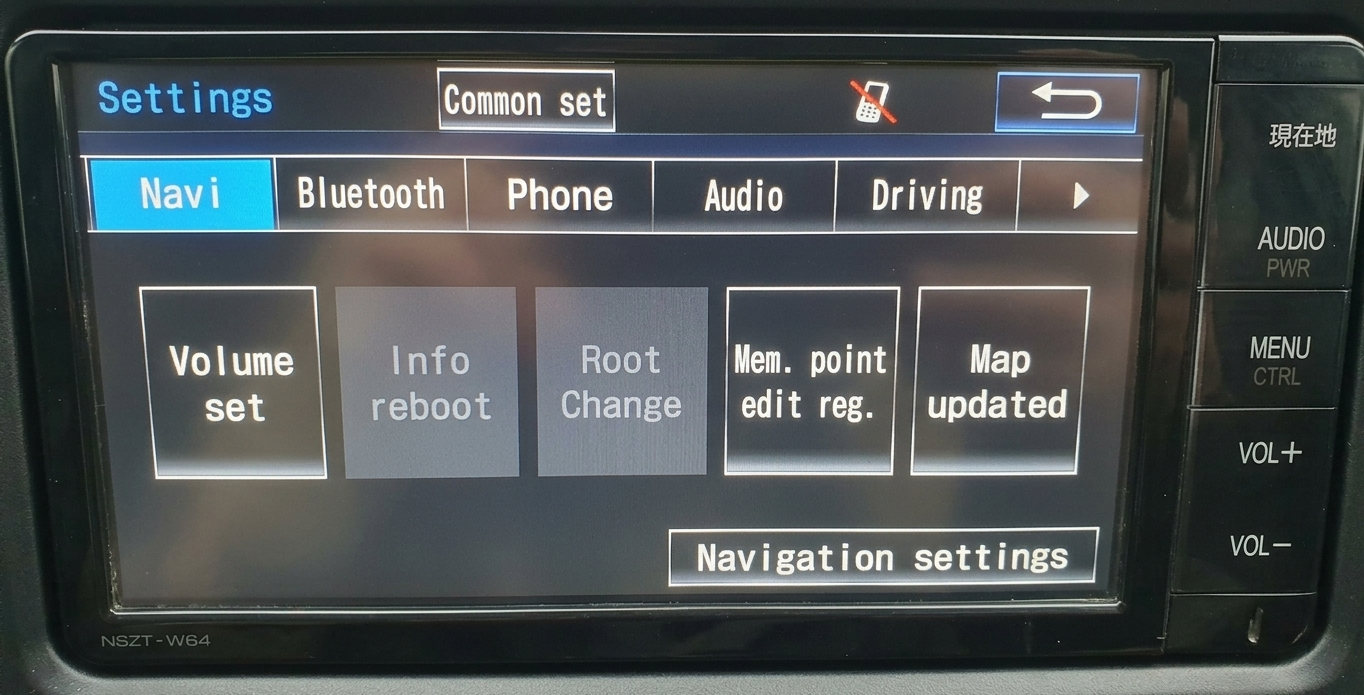
Convert the Japanese interface of your compatible Toyota NSZT-W64 to English using a prepared SD card. Choose courier delivery for self-installation, or have DASHMOD INFOTAINMENT install it in your vehicle.
This product is specifically for NSZT-W64. Similar appearance, vehicle model or year alone does not confirm compatibility. Head-unit hardware is not included.
English-Language Features
The conversion provides English menus for system settings, Bluetooth device connection and audio adjustments, including equalizer settings. Available functions depend on the head unit’s existing hardware and connected devices.
Compatibility Before Ordering
Contact DASHMOD INFOTAINMENT on WhatsApp with your vehicle make, model and year, plus a clear photograph of the complete head unit and its model marking. Wait for compatibility confirmation before ordering.
Both the Bluetooth MAC ID and Wi-Fi MAC ID are required for this model. Contact DASHMOD INFOTAINMENT for guidance on obtaining them. Supply both identifiers and obtain compatibility confirmation before ordering.
Prepared SD Card with Courier Delivery
The prepared card costs KSh 7,000, excluding delivery. Pay for the product first; delivery is arranged and paid for separately before dispatch. You may request a delivery quote before paying for the product.
CHUI collection: KSh 500 at your nearest suitable collection point within supported Nairobi and surrounding locations. We will confirm the collection point with you.
Other locations: we arrange an alternative courier, subject to coverage. The actual charge and collection or delivery arrangements will be communicated for your approval before dispatch.
We dispatch within 24 hours after compatibility and delivery arrangements are confirmed and both product and delivery payments are verified. Courier transit time is additional; arrival within 24 hours is not guaranteed.
Installation-related support is included through email or WhatsApp Business for 30 days from the date you receive or collect the card. This support period does not limit statutory rights.
If you decline the courier quote before dispatch, your product payment will be refunded in full. After a correctly supplied card has been dispatched, change-of-mind returns are not offered beyond applicable legal rights. Rights concerning defective, damaged, misdescribed or incorrectly supplied cards remain unaffected.
Courier-delivered cards and in-person installation products must be ordered separately.
SD Card with In-Person Installation
The price is KSh 8,500, including the prepared card and installation at DASHMOD INFOTAINMENT, Elgon Court, Ralphe Bunche Road. Your vehicle must be physically present. Obtain compatibility confirmation and a confirmed appointment before travelling.
Payment is due after successful installation. If installation is unsuccessful, neither the installation nor the prepared SD card is charged. Installation-related support is included for 30 days from installation.
Book your installation appointment
Installation and Card Retention
Your order includes one prepared English-conversion SD card for your compatibility-confirmed Toyota NSZT-W64.
- Follow the supplied NSZT-W64 installation instructions to access the MAP SD slot, not the Audio SD slot. If an original map card is fitted, remove it as instructed and keep it safe.
- Insert the prepared English-conversion card and follow the supplied instructions to begin loading.
- Allow loading and any automatic restarts to finish. Do not switch off accessory power, disconnect the battery or remove the card while the update is running.
- Confirm that the head unit has started successfully and displays the English interface.
- Once conversion is complete, remove the conversion card as directed in the supplied instructions and store it safely. It does not need to remain installed for normal use after successful conversion.
Retain your conversion card for future recovery. It may be needed to restore the English interface following power loss caused by vehicle-battery disconnection. Do not format the card, delete or modify its files, or reuse it for music or other storage.
Do not disconnect the battery solely to force an installation restart. If an unexpected warning, ownership-code prompt or loading problem appears, contact DASHMOD INFOTAINMENT before proceeding.
Reviews
There are no reviews yet.