
TOYOTA · 64 & 66 SERIES
Find your Bluetooth & Wi-Fi IDs
Take two clear screen photos so we can identify your head unit for an English conversion.
-
Open Settings/Edit
Press the physical MENU button on the head unit. Tap 設定・編集 (Settings/Edit), the rightmost icon.
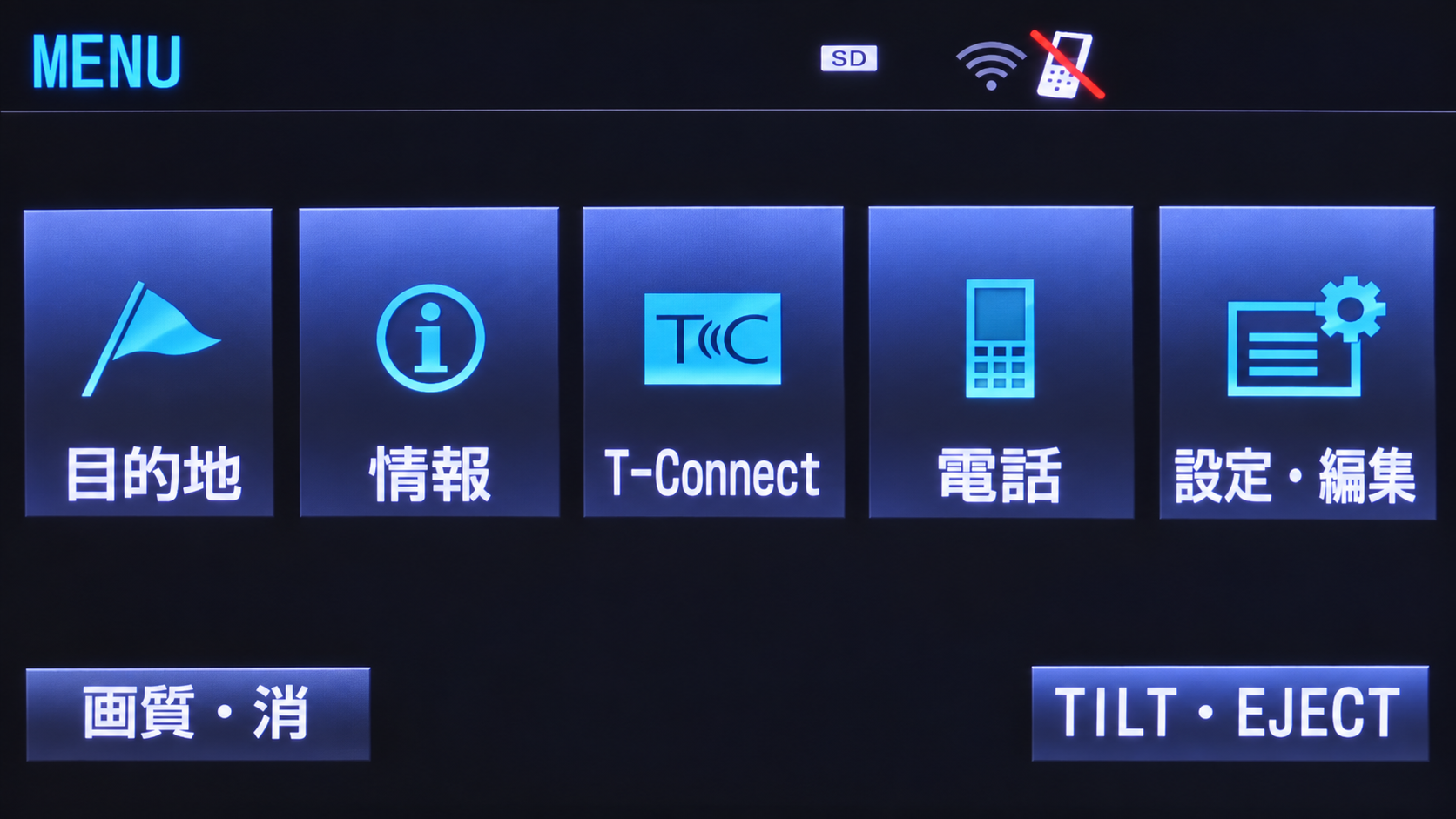
Tap the Japanese label shown in the instructions. -
Open Bluetooth details
Select the Bluetooth tab. Tap Bluetooth詳細設定 (Bluetooth Detailed Settings) at the bottom right.
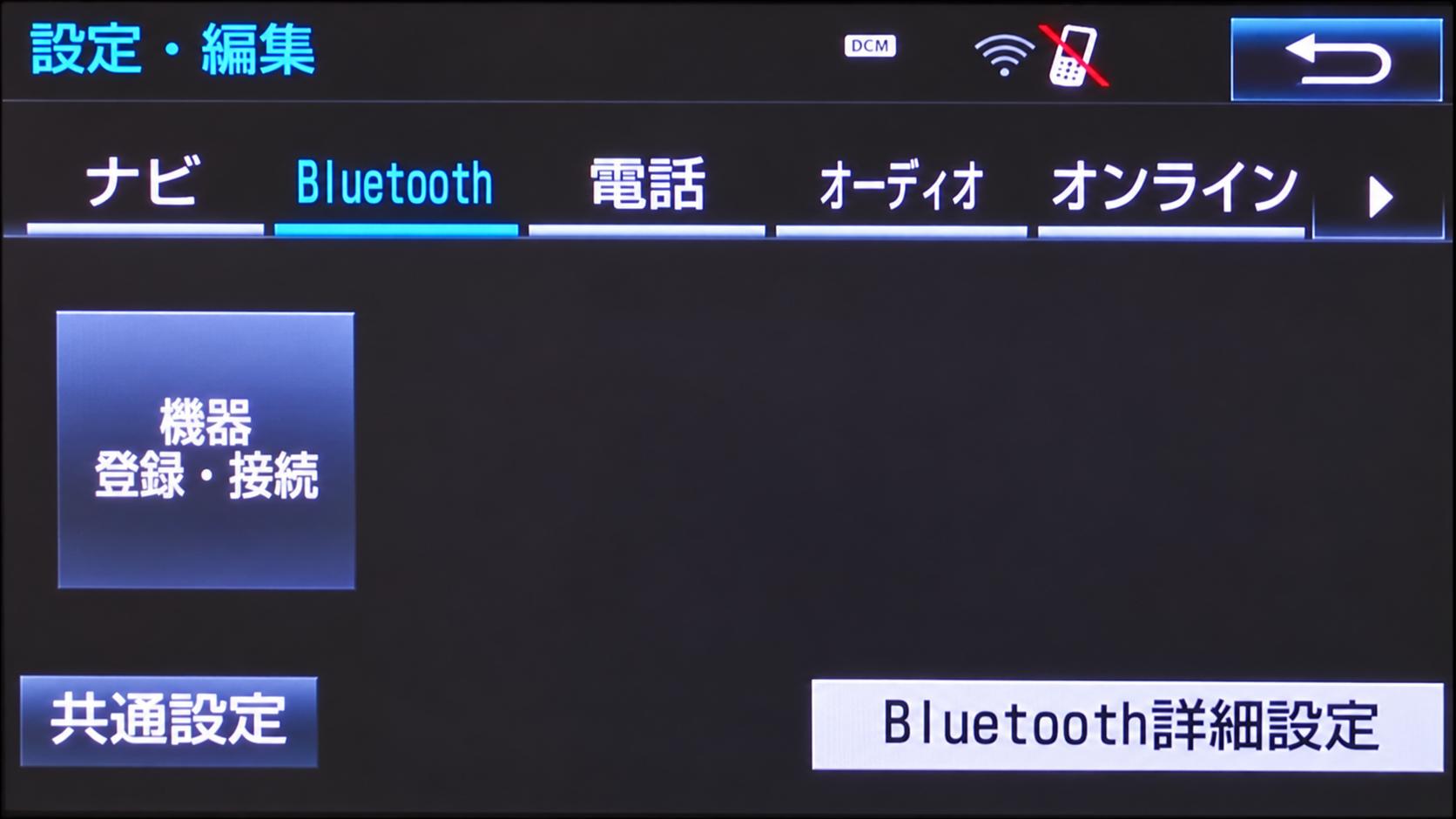
Tap the Japanese label shown in the instructions. -
Take the Bluetooth photo
Photograph the entire screen. Keep 機器名称 (device name), PINコード (PIN code), and 機器アドレス (device address) readable.
PHOTO 1 OF 2
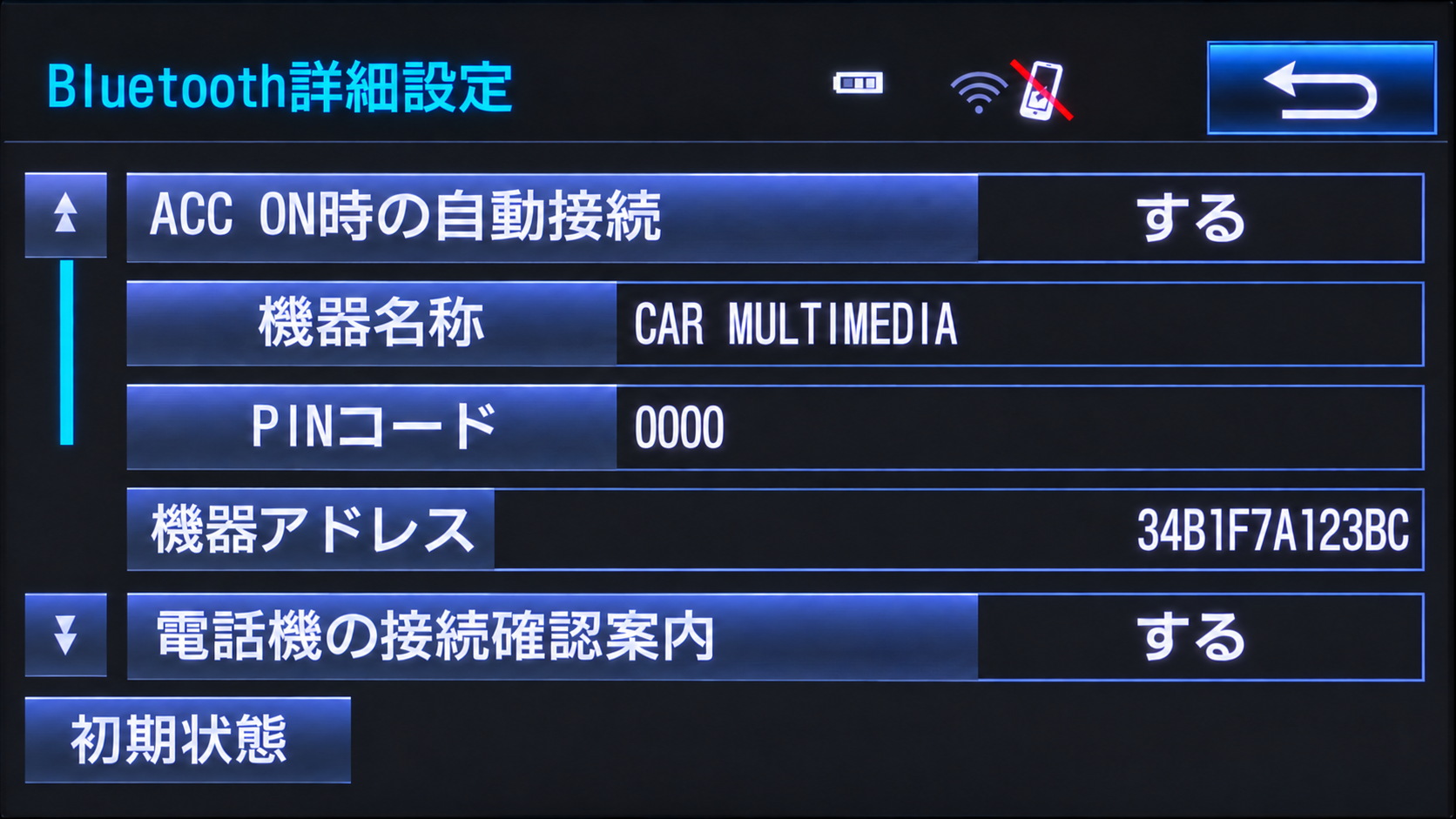
Photograph this screen on your own head unit. -
Open Wi-Fi settings
Tap the back arrow at the top right. Select オンライン (Online), then tap Wi-Fi設定 (Wi-Fi Settings), the leftmost tile.
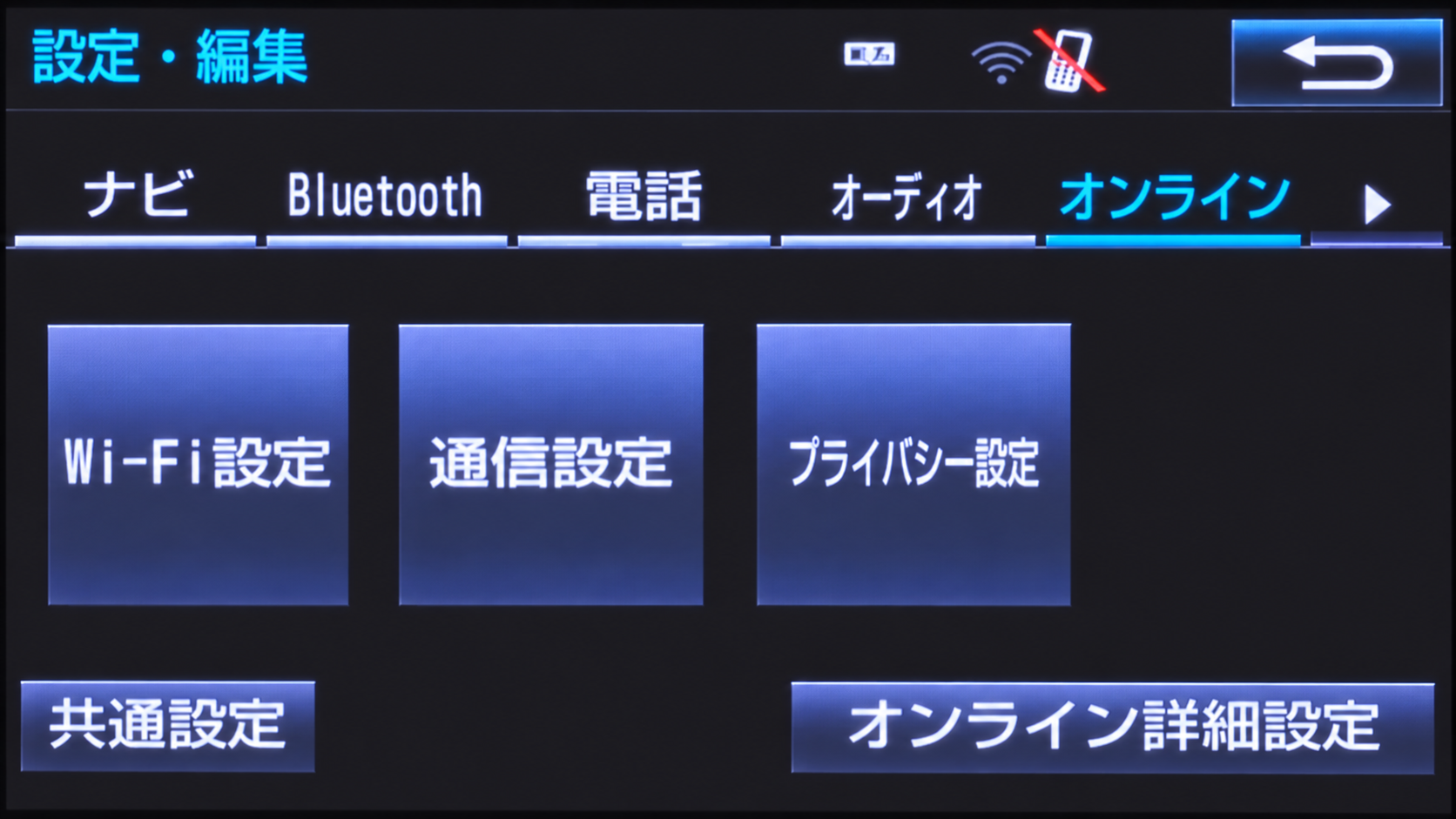
Tap the Japanese label shown in the instructions. -
Open Wi-Fi details
Tap Wi-Fi詳細設定 (Wi-Fi Detailed Settings), the bottom button.
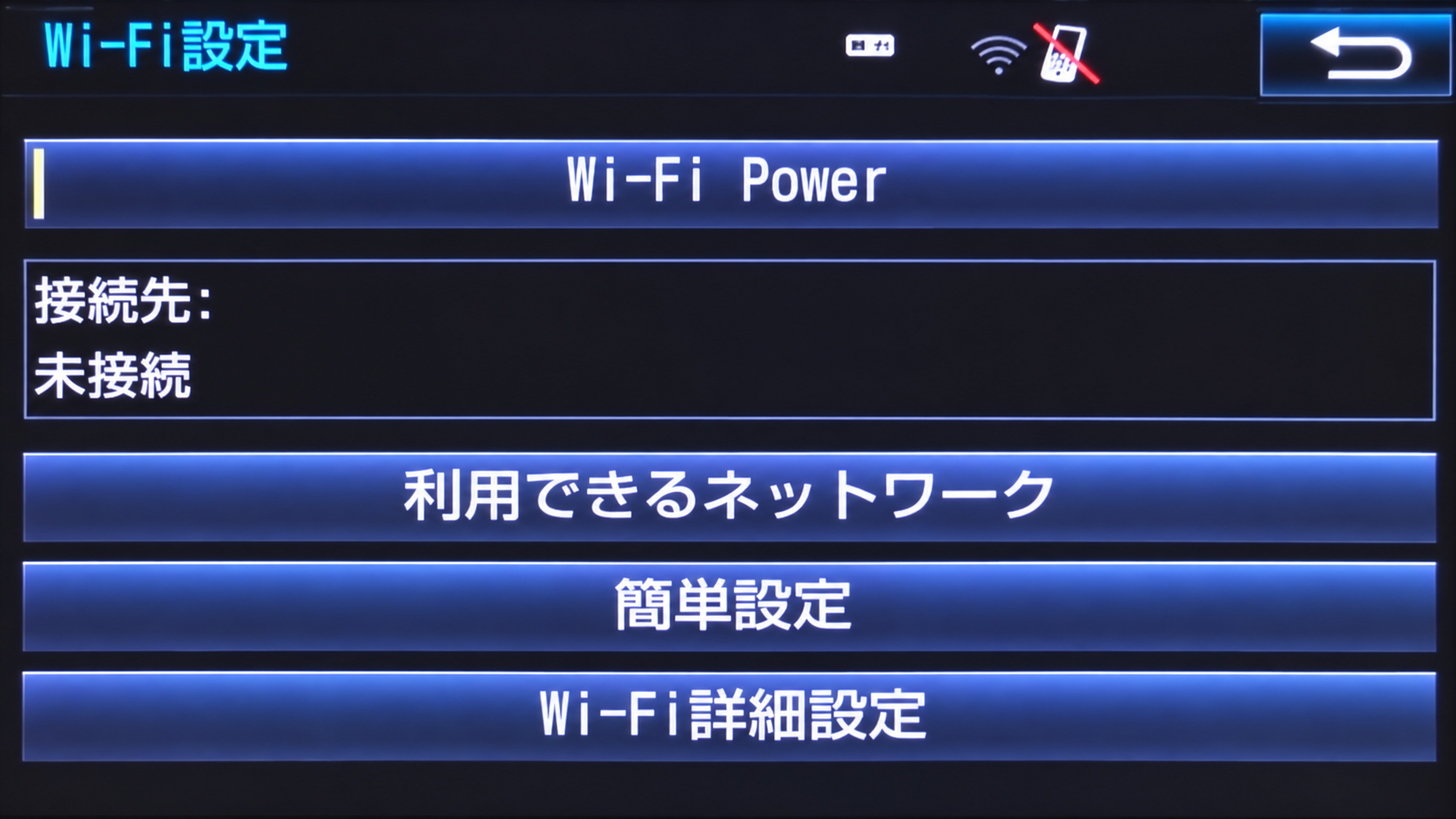
Tap the Japanese label shown in the instructions. -
Take the Wi-Fi photo
Photograph the entire screen, keeping the MAC アドレス (MAC address) readable. Send this photo together with the Bluetooth photo to DASHMOD INFOTAINMENT.
PHOTO 2 OF 2
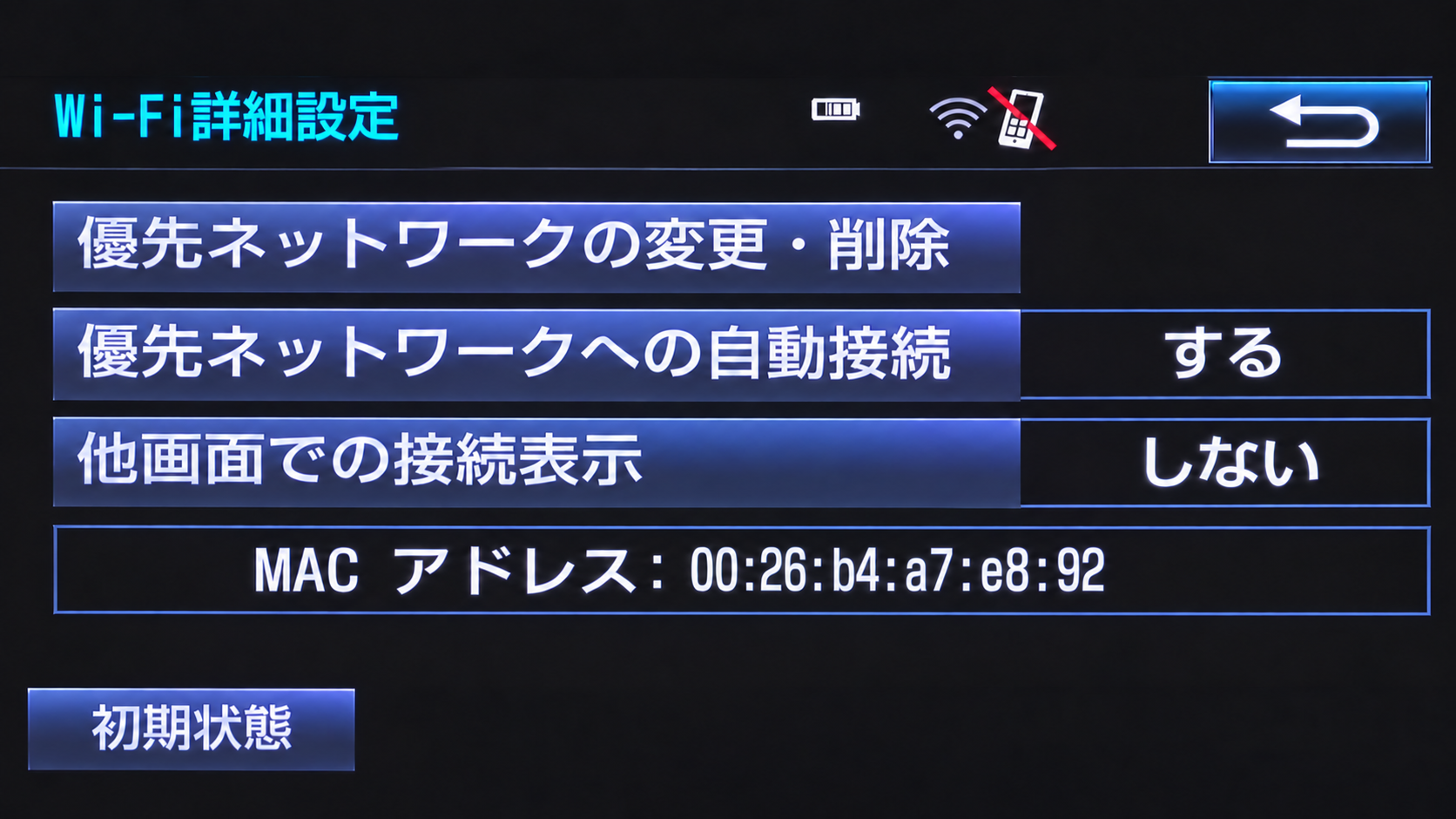
Photograph this screen on your own head unit.